Designing Impactful Church Media with Editable Templates
In the digital age, a church's visual presence is often the first handshake with a potential visitor. The shift from bulletin boards to social feeds requires a specific kind of graphic language—one that is both spiritually inviting and professionally polished. For many ministries, the challenge isn't a lack of vision but a lack of design resources. This is where high-quality, editable design assets become invaluable, transforming how communities communicate events, sermons, and gatherings online and in print.
Beyond the Bulletin: The Visual Language of Modern Ministry
Effective communication for a church or faith-based organization relies on consistency and clarity. A generic, hastily made graphic can unintentionally signal a lack of attention to detail. Conversely, a cohesive visual identity across platforms like Instagram, Facebook, and printed flyers builds trust and recognition. It tells your community, "We care about how we present ourselves and our message." The goal is to create materials that feel both sacred and accessible, using design elements that resonate with your specific congregation while remaining welcoming to newcomers.
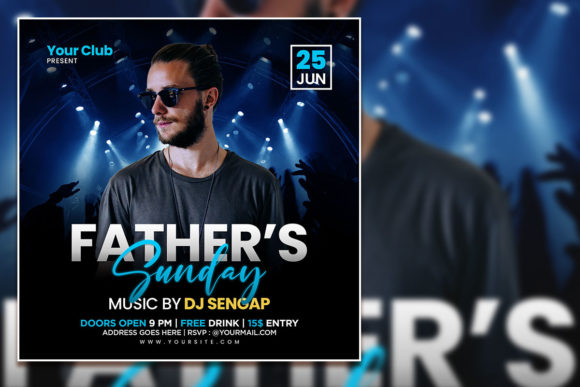
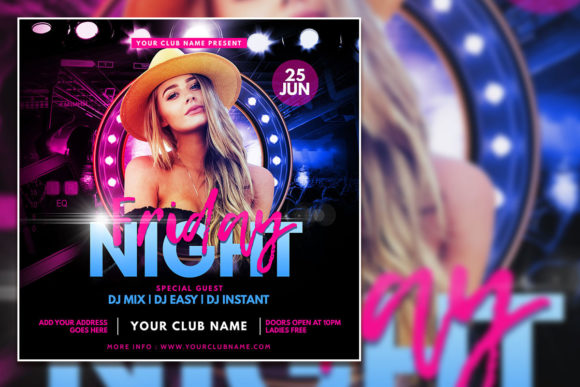
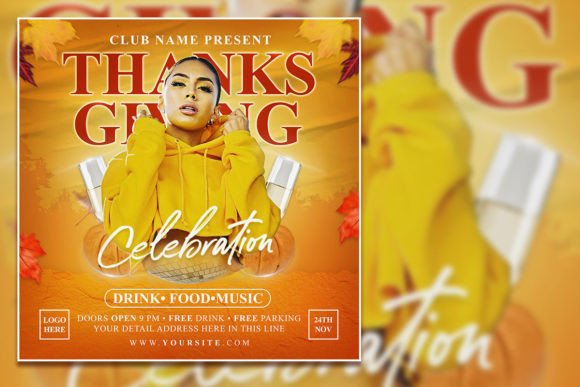
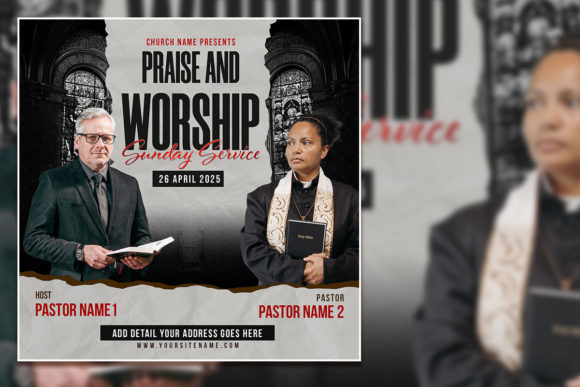
This is precisely why a resource like the Creative Praise & Worship Social Media template pack is so practical. It’s not just a single flyer; it’s a foundational toolkit. The included PSD file, with its organized layers and high-resolution specs (2000x2000 pixels at 300 dpi), provides a professional starting point. You’re not starting from a blank canvas in Photoshop, which can be daunting for volunteers or staff wearing multiple hats. Instead, you’re refining a designed framework, ensuring your output meets a certain quality standard from the very first edit.
From Template to Tailored Brand Asset
The true power of an editable PSD template lies in its adaptability. Think of it as a master key that unlocks numerous design possibilities for your ministry’s branding and outreach.
- Sermon Series & Event Promotion: Create a unified look for a six-week series. Use the same template, simply updating the title, date, and speaker for each week’s social media post and corresponding printed flyer. This builds visual momentum and makes the series instantly recognizable.
- Consistent Social Media Graphics: Maintain an active and professional Instagram or Facebook page. Use the template to quickly generate announcement graphics for small groups, volunteer appreciation, or holiday services. The square format is optimized for these platforms, saving you time on resizing.
- Print-Ready Materials: The 300 dpi resolution ensures that the same design used for a Facebook event cover can be printed as a sharp, clear 4x4 inch flyer or poster for your lobby or community boards. This eliminates the need to create separate files for digital and print.
- Internal Communications: Edit the template for ministry team updates, worship team schedules, or leadership meeting announcements. A polished internal document fosters a sense of professionalism and shared purpose among volunteers.
The key is in the customization. The instruction to "replace the photo with your photo" is crucial. Swapping in a candid shot of your actual worship team, congregation, or building immediately injects authenticity. It transforms a generic design into a piece of your unique church’s story. Likewise, selecting fonts that align with your existing brand—if you have one—or choosing new ones that reflect your community’s personality (be it traditional, contemporary, or eclectic) makes the asset truly yours.
Practical Guidance for Seamless Customization
Working with a layered PSD file might seem technical, but the process is straightforward with a little guidance. Here’s how to approach it for maximum impact and efficiency:
- Establish Your Visual Palette: Before opening the file, gather your brand assets. Have your church logo, preferred brand colors (in hex codes), and 2-3 high-quality photos ready. This prevents decision fatigue during the editing process.
- Font Strategy: The template includes font links. Consider your audience. A clean, modern sans-serif font often works best for main event details due to its readability at small sizes on mobile screens. You might pair it with a more expressive script or serif font for the event title to add a touch of elegance or warmth. Always prioritize legibility—avoid overly ornate fonts for critical information like dates and times.
- Photo Selection is Paramount: Choose images that are well-lit, in focus, and convey the intended emotion. A vibrant, joyful photo works for a praise night; a serene, contemplative image suits a prayer retreat. Ensure the photo’s color tone complements your chosen color palette from the template.
- Edit with Purpose: Open the PSD in Photoshop. Use the Layers panel to navigate. Double-click on text layers to edit words. Right-click on smart object layers (often indicated by a small icon) to replace placeholder images with your own. This non-destructive method keeps the design intact.
- Test Across Formats: Export your final design as both a JPG (for web) and consider saving a flattened version. View it on your phone before posting to ensure text is readable. If printing, do a test print to check color accuracy.
Remember, the goal isn’t to use every design element in the template. Sometimes, simplifying—removing a graphic flourish or using a single powerful photo—can create a more focused and powerful message. The template provides the structure; your discernment provides the soul.
Building a Library of Ministry Design Assets
Investing in a few high-quality, versatile templates like this one is a strategic move for any growing ministry. It empowers your team to produce consistent, professional communications without needing to hire a designer for every single post or flyer. Over time, you can build a small library of assets tailored to different needs: one for sermon series, another for youth group events, a third for community outreach.
This approach fosters visual consistency, which is a cornerstone of brand recognition. When your community sees a graphic with your specific color scheme, typography style, and photo treatment, they immediately know it’s from your church, even before reading a word. This builds trust and makes your communications more effective.
Ultimately, tools like the Creative Praise & Worship Social Media kit exist to serve a greater purpose: to remove practical barriers so you can focus on what truly matters—your message and your community. By leveraging smart, editable design resources, you ensure that the first visual impression of your ministry is as thoughtful and welcoming as the fellowship you offer in person.